What it does
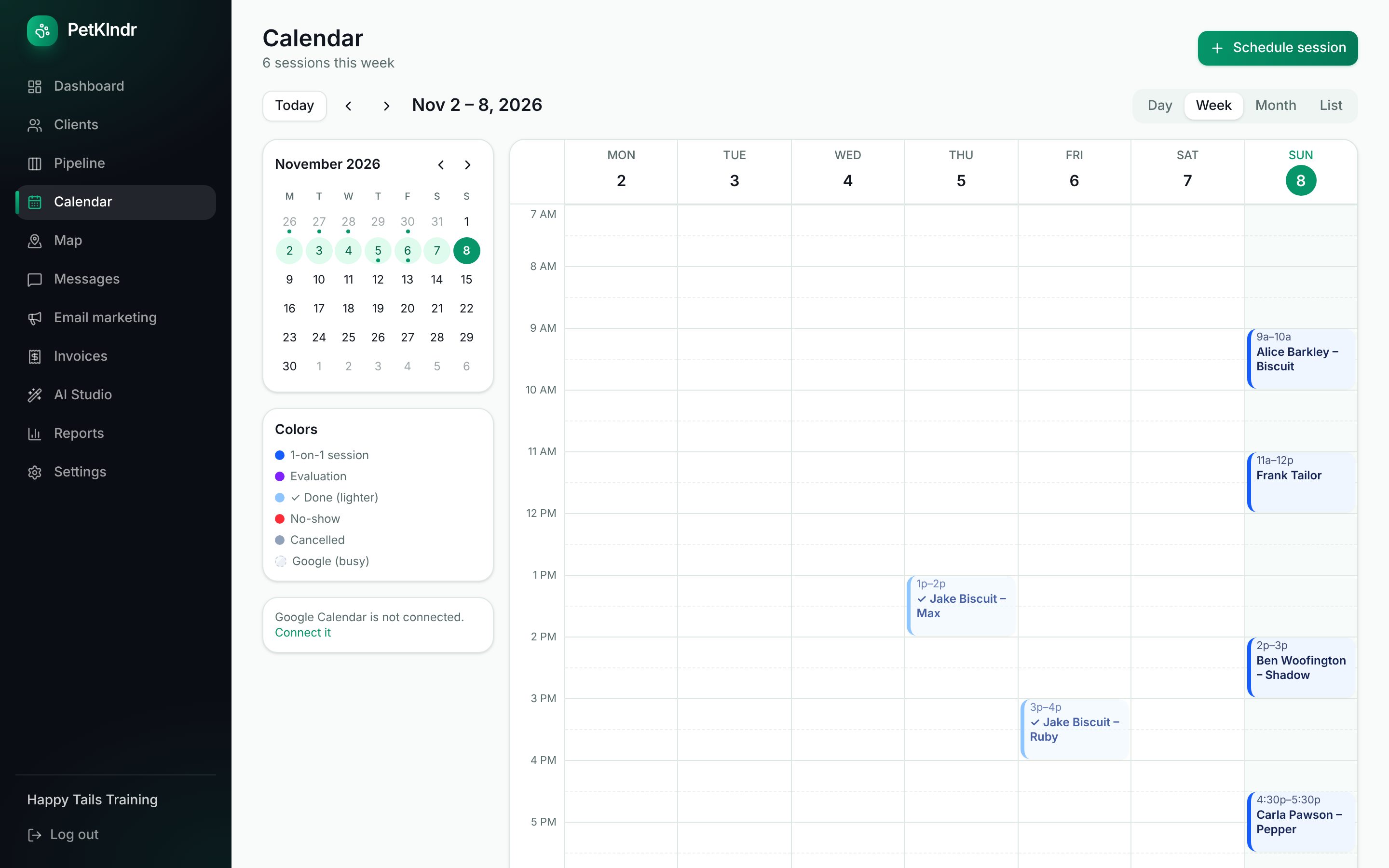
Day, week, month and list views
See your time on a real calendar grid with a small month to jump around. Click any empty slot to schedule something there.
Repeat visits in one go
Pick the weekdays and an end date up to six months out, and the whole series is created at once. If plans change, cancel the rest of the series with one button.
Session types you can tell apart
Sessions, evaluations, finished visits, no-shows and cancellations each have their own color, so a glance tells you how the week looks.
Arrival windows
Not sure of the exact minute? Give the visit a window from 30 minutes to 4 hours, and the client sees "between 1:00 and 2:00" in their reminder and portal.
A calendar made for your phone
On a phone you get a month of colored dots, the chosen day's stops in order with the address, and a Go button that opens directions.
Rebook before they leave
When you close a visit and nothing else is booked, PetKlndr offers the same time in 1, 2, 4 or 6 weeks. One tap and it's on the calendar.
How it works
- 1
Add your services or packages and the hours you work.
- 2
Click a time on the calendar, choose the client and pet, and pick whether it repeats.
- 3
Close each visit when it's done. Package counts, invoices and the next reminder follow from that.
Questions people ask
Is there a phone app?
PetKlndr is a web app, so there is nothing to download from an app store. It runs in the browser on any phone, and on an iPhone you can add it to your Home Screen so it opens like an app.
Can I schedule the same walk every Monday, Wednesday and Friday?
Yes. Tick the weekdays, choose the last day, and all the visits are made together, up to 60 at a time. Each one can still be moved or cancelled on its own.
Does it stop me from double-booking?
You see everything already on the day, including busy times from your Google Calendar, before you pick a slot. Online booking only offers times that are free, with the gap you set between visits. When you schedule by hand you stay in charge, so PetKlndr shows you the day rather than blocking you.
Can my team use the same calendar?
Yes. Invite a trainer or groomer and filter the calendar by person. Each team member sees only the clients you gave them.
Included in one price.
Everything included
$79 a month.
Try it free for 30 days first, no card needed. If it isn't for you, you just stop.
Start my free trialWhat's includedMade for dog trainers, groomers, walkers and sitters and in-home boarders.
Goes well with:Online bookingRemindersGoogle Calendar syncEvery feature
Ready for an easier week?
Setting up takes a few minutes. Bring your clients from a spreadsheet or your old app, and try everything free for 30 days.